
How to Manage Multiple Social Media Accounts Without Losing Track

Most advice about how to manage multiple social media accounts treats it as a content problem: batch your posts, build a calendar, repurpose one video into six, buy a dashboard. That advice is fine, and it is also already answered above the fold by Google's own AI summary.
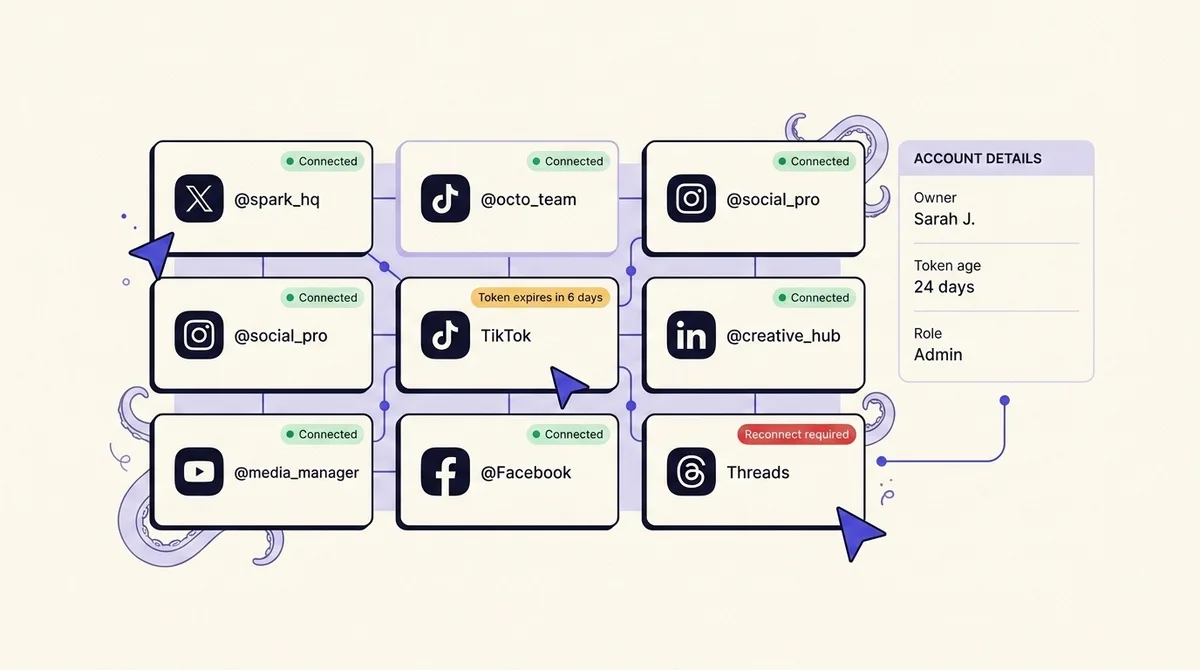
The setups that fall apart rarely fail on content. They fail because an Instagram token quietly passed its 60-day refresh window during a seasonal pause, because the Facebook Page connection was authorized by a contractor who left in March, because a TikTok post went out to a private audience and nobody noticed for two weeks, or because someone drafted for the parent brand and shipped from the regional handle.
A multi-account social setup is infrastructure with a maintenance schedule, not a content calendar. This playbook covers the operational half first (how these setups break, the naming discipline that prevents misrouting, a platform reference of tokens and ceilings, and a quarterly audit you can run), then compresses the content half into what still matters at scale.
The five ways multi-account setups actually break
Every failure below is documented platform behavior, and every one is invisible until it has already cost you.
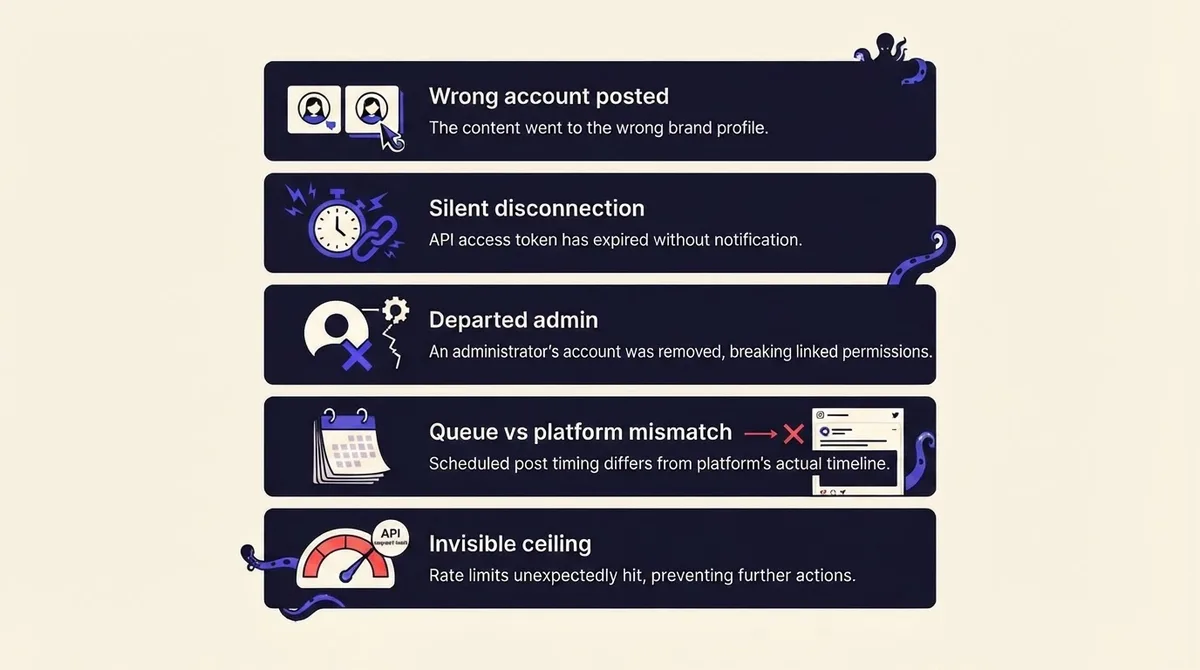
1. Posting to the wrong account. This is common enough that TikTok mandates a guardrail against it in its own developer rules: an app's upload page "must display the creator's nickname, so users are aware of which TikTok account the content will be uploaded to" (TikTok Content Sharing Guidelines). If a platform hard-requires that in its API terms, the same discipline belongs in your human workflow.
2. Silent disconnection. Nothing errors loudly. The post simply does not appear. Instagram's long-lived tokens last 60 days, must be at least 24 hours old before they can be refreshed, and the killer clause: "tokens that have not been refreshed in 60 days will expire and can no longer be refreshed" (Instagram Business Login docs). A brand account you paused for a quarter is not merely stale, it is permanently unrefreshable and needs a fresh authorization from the account owner.
3. Permission sprawl and the departed admin. Meta states plainly that "Page access tokens are unique to each Page, admin, and app combination." The connection is bound to a person, so when that person loses their Page role it dies with them, regardless of who pays the invoice.
4. No trustworthy view of the queue. Everyone recommends a calendar. Nobody explains what to do when the calendar and the platform disagree, which is exactly what happens after a disconnection silently drops three days of posts and your tool still shows them as "published."
5. Ceilings you did not know existed. Instagram caps API-published posts at 100 per 24-hour moving period. Meta's Pages business use case limit is a formula, not a number, so quiet accounts get throttled first. And TikTok restricts unaudited clients to SELF_ONLY visibility, which is the real answer to the classic "why did my client's TikTok go up private?" panic.
Naming conventions that make wrong-account posting hard
Misrouting is a design flaw, not a carelessness problem. Two accounts named "Northwind" and "Northwind UK" in a dropdown at 5pm on a Friday will eventually be confused. Fix the labels, not the humans.
Adopt one naming shape and apply it everywhere the account appears (tool, calendar, password manager, file names, Slack channels):
[client-or-brand] · [platform] · [market-or-segment] · [handle]
So: Northwind · IG · UK · @northwind.uk and Northwind · IG · Global · @northwind. Three practical rules make it work:
- The handle is always in the label. The handle is the only string that is unique and unambiguous on the platform itself. Brand names are not.
- Never let two labels share a visible prefix at the same truncation width. Most dropdowns truncate. If both entries render as "Northwind · IG ...", the label has failed. Put the discriminator early:
UK-Northwind · IGbeatsNorthwind · IG · UKin a narrow sidebar. - Encode risk in the label. Prefix high-consequence accounts, for example
CORP-for the main corporate handle, so the label itself creates a pause at confirmation.
Then add three structural safeguards:
- Separate workspaces per client or brand family. One workspace per client means the wrong account is not even in the list. That is the highest-leverage change for anyone managing multiple social accounts across clients, and why agency-grade tooling separates by workspace rather than by folder.
- Show the destination handle at the confirmation step, not just a logo. Copy TikTok's rule voluntarily across every platform you publish to.
- Give every scheduled item an owner and a destination in the same field. "Tue 9am · Northwind · IG · UK · @northwind.uk · owner: Priya" is one glance. Two columns are two glances, and the second gets skipped.
For AI agents or CLI publishing the rule applies with more force, because an agent will not notice that a handle looks wrong. Bind the agent to one workspace scope and require the resolved handle in the confirmation payload, as covered in letting an AI agent post to social media safely.
Platform reference: tokens, permissions, and publishing ceilings
Read this once, then diary the dates.
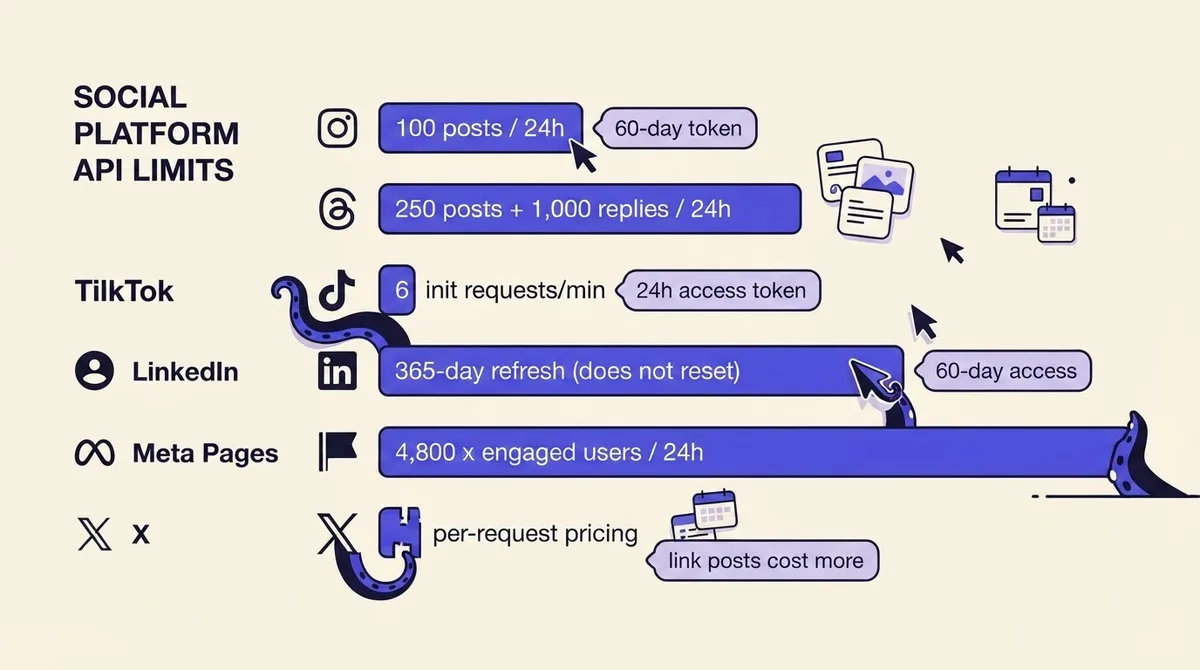
Instagram. Long-lived tokens: 60 days. Refresh requires the token to be at least 24 hours old and still valid; unrefreshed for 60 days means permanently dead. The authorization code is valid for only 1 hour. Publishing: 100 API-published posts per rolling 24 hours, carousels counted as one post but capped separately at 50. Carousels take up to 10 items, JPEG is the only supported image format, and shopping tags and filters are unsupported via the API. Publishing requires a professional account (per Meta's Instagram content publishing documentation).
Meta (Facebook Pages). Page access tokens are unique to each Page, admin, and app combination. Tokens are invalidated when a person logs out or changes their password, and Meta notes that "due to security related events, access tokens may be invalidated before the expected expiration time." The three errors worth recognizing on sight are all code 190: subcode 463 (session expired), 460 (user logged out), and 458 (user has not authorized the app). Page tasks, which are your actual permission vocabulary, are ANALYZE, ADVERTISE, MODERATE, CREATE_CONTENT and MANAGE. Rate limit: "Calls within 24 hours = 4800 * Number of Engaged Users" for the Pages business use case, and 200 calls per user per hour at the app level (Meta rate limiting docs). Note what that formula implies: your quietest accounts have the tightest ceilings, which is the opposite of what most people assume.
LinkedIn. Access tokens last 60 days, programmatic refresh tokens 365 days, and here is the trap: the refresh token's TTL does not reset when you use it. LinkedIn's own example spells it out. On day 360, minting a new access token gives you an access token and refresh token that both expire in five days, after which "you must get your application reauthorized by the member" (LinkedIn programmatic refresh tokens). An integration that worked flawlessly all year dies on day 365. LinkedIn also reserves the right to revoke tokens at any time for technical or policy reasons. Roles are ADMINISTRATOR, DIRECT_SPONSORED_CONTENT_POSTER, RECRUITING_POSTER, LEAD_CAPTURE_ADMINISTRATOR, LEAD_GEN_FORMS_MANAGER, ANALYST, CURATOR and CONTENT_ADMINISTRATOR, with states APPROVED, REJECTED, REQUESTED and REVOKED. The /organizationAcls finder lets you enumerate exactly who administers which Page, which turns an access audit into a query instead of a meeting, per LinkedIn's organization access control documentation.
TikTok. Access tokens are valid for 24 hours after issuance; refresh tokens for 365 days. Critically, the refresh token returned on refresh "may be different than the one passed in the payload," so a rotating token that is not persisted silently breaks the connection. The Content Posting API initialization endpoint is limited to 6 requests per minute per user access token. Unaudited clients can allow up to 5 users to post per 24 hours and can only post in SELF_ONLY viewership; lifting that requires passing TikTok's audit.
Threads. Rolling 24-hour quotas of 250 published posts, 1,000 replies, 100 deletions and 500 location searches.
X. Pricing moved to pay-per-usage with no subscription tier. Post creation is $0.015 per request, but a post containing a URL costs $0.200 per request, with post reads at $0.005 and owned reads at $0.001, and pay-per-usage capped at 3 million post reads per monthly billing cycle, per X's published API pricing. If your multi-account strategy is link-heavy, that is a 13x per-post difference you should model before you scale it.
Worked example: an agency running 12 client X accounts at 3 link posts a day each is at 12 x 3 x 30 = 1,080 link posts a month, roughly $216 in posting cost, versus about $16 if those posts carried no URL. The response is not "stop using links" but to know the number, move the link to a first reply where the campaign allows it, and price it into the retainer.
The quarterly connection audit
Run this once a quarter, per workspace, in about 45 minutes. It is the highest-value recurring task in multi-account operations and almost nobody does it.
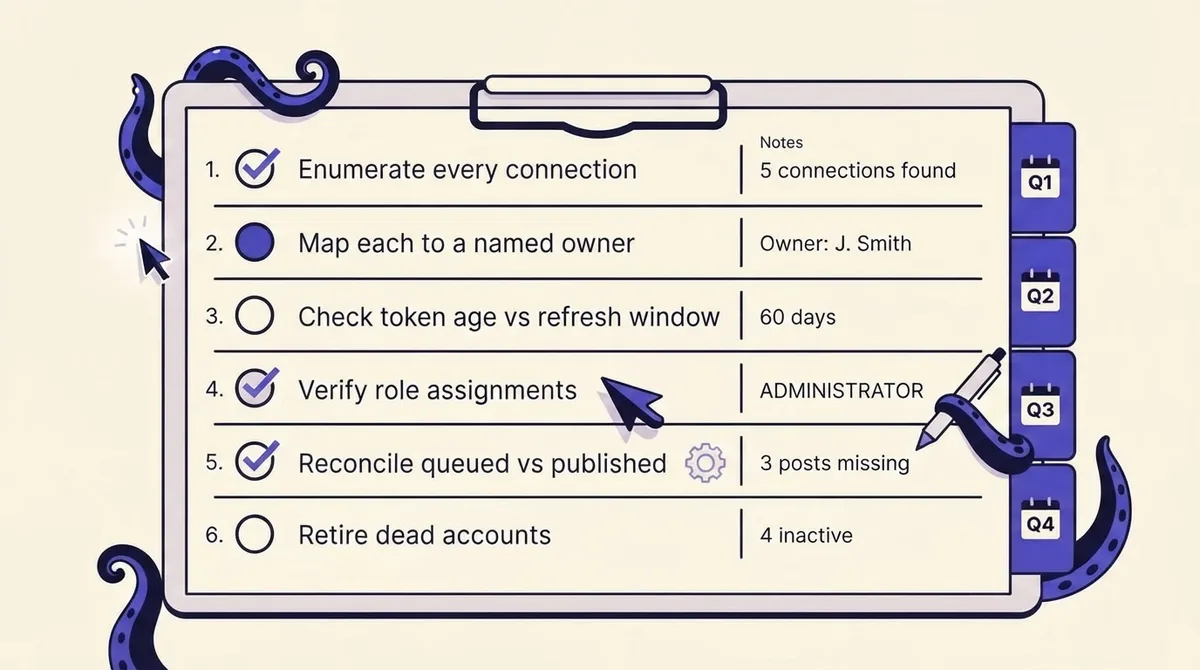
- Enumerate every connection. Every account, every workspace, including the personal login someone used "just once." Flag anything present on the platform but missing from your tool, and the reverse.
- Map each connection to a named current owner. No blanks. If a connection traces to someone who has left or is leaving this quarter, reauthorize it now, before the Page role is removed and the token dies with it.
- Check token age against each platform's window. Instagram: anything unrefreshed for more than about 45 days gets a forced reauthorization. LinkedIn: diary the original authorization date, not the last refresh, and schedule reauthorization at month 11. TikTok: confirm the newest rotated refresh token is what you have stored.
- Verify role assignments against the real vocabulary. Pull LinkedIn's
organizationAclsand check role plus state. On Meta, check tasks per person and remove anyone over-permissioned. Clear stale REQUESTED invitations. - Reconcile queued versus published. Export what your tool believes it published last quarter and compare it against each live profile. Every gap has a cause: expired token, rate ceiling, rejected media, or wrong visibility. Check TikTok visibility specifically.
- Retire what is dead. For any account with no post in 90 days, decide keep, consolidate or archive. Before archiving: export analytics, save the credential record, post a pointer to where the audience should go, then remove the connection and delete the unused API app.
Download the printable quarterly connected-account audit checklist (PDF) and run it alongside your quarterly reporting, when you are already in the analytics anyway.
Building one queue view you trust
A calendar tells you what you intended, not what happened. Managing multiple social media accounts well means treating the queue as a claim that needs verification. Three habits close the gap:
- Publish-state, not calendar-state. Every item should carry a status returned by the platform (published with a permalink, failed with an error code, pending), not one your scheduler set optimistically when it fired. No live permalink means no confirmation.
- A Monday reconciliation sweep. Filter last week's items to anything not confirmed-published, across all accounts at once. On a 15-account setup that is a two-minute scan, and it catches expired tokens about a week before the client does.
- Error-code triage. Meta 190/463 means reauthorize; 190/460 means the owner logged out; repeated TikTok init failures at 6 requests per minute mean you are batching too aggressively, not that the account is broken. Different fixes, so log the code, not "it failed."
Cross-account reporting follows the same principle: pull metrics on one cadence, and keep account naming identical between scheduler and reporting sheet so the join works. Our guide to a content calendar that survives a busy month covers the planning side.
Content operations that scale (the compressed version)
The practices everyone recommends are useful but table stakes. Here is the short version, with the multi-account wrinkle each hides.
Batch by mode, not by account. Write all captions, then design all assets, then schedule. Context switching between clients is the real cost, not the writing. The wrinkle: batch scheduling hits the ceilings above, so stagger publishes rather than firing 40 posts at 9am.
Templates with a per-account variable block. A template is only reusable if the account-specific parts (handle, CTA link, UTM parameters, tone notes, banned words) sit in one marked block at the top. Keep tracking consistent with a UTM builder so cross-account reporting is comparable.
Repurpose down, not sideways. Cut long-form into platform-native variants rather than posting one identical asset everywhere, and plan around Instagram's API constraints: JPEG only, 10 items per carousel, no filters or shopping tags.
Approvals scale by exception. Sign-off on every post does not survive 15 accounts. Route only new claims, paid content, sensitive topics and work from new team members; everything else follows a pre-approved brief. The mechanics live in our approval workflow guide, and OctoSpark's client approvals do it without giving clients access to the connections themselves, which matters given how tightly Page tokens bind to individual admins.
Unified inbox, per-account routing. One inbox only helps if replies cannot leak across brands. Route into per-account queues with named owners and keep saved replies scoped per client.
Team structure. Below about 8 accounts, one owner per account works. Above that, split by function (publisher, community manager, reporter) with one accountable owner per client, because function specialists are the only structure where the audit above reliably gets run.
When to consolidate instead of managing more
The most underrated answer to "how to handle multiple brand accounts" is: have fewer of them. Regional splits, sub-brands and campaign accounts multiply your token surface, role assignments and audit time, and each inherits the tightest rate ceilings because low-engagement accounts are throttled first.
Consolidate when an account posts less than weekly, shares more than about 70% of its content with a parent account, has no dedicated owner, or exists because someone requested it in a meeting two years ago. Keep it separate when the audience genuinely differs (language, market, regulation, distinct buyer), a named person owns it day to day, or it carries paid spend.
The questions that separate real multi-account tools from single-brand schedulers are narrow: does it isolate workspaces per client, surface token expiry before failure, show the destination handle at confirmation, enumerate connections and roles for an audit, and let an agent or script publish through the same permission model as a human? OctoSpark is built around that set: multi-platform publishing across X, TikTok, Instagram, LinkedIn, YouTube, Facebook and Threads from a dashboard, a terminal, or any AI agent via API and MCP. Our scheduling tools comparison is the neutral version; pricing is the short one.
FAQ
What is the 5-5-5 rule for social media? A common engagement heuristic: daily, comment on 5 posts, reply to 5 comments on your own content, and follow 5 new relevant accounts. It is a discipline, not a documented platform mechanic, and it does not scale linearly, so apply it to the two or three accounts where community actually drives results.
What is the 50/30/20 rule for social media? A content-mix guideline: roughly 50% audience-value content, 30% curated, 20% promotional. Treat it as a starting ratio to test per account, since a LinkedIn company page and a TikTok account rarely want the same mix.
What is the best app to manage multiple social media accounts? Whichever one gives you per-client workspace isolation, visible token health and role auditing. Tools optimized for a single brand's calendar tend to lack all three. Test any candidate with one question: which of my connections expires next, and who authorized it?
Can I manage multiple social media accounts for free? Partly. Native tools (Meta Business Suite, LinkedIn's page admin view) are free and are the source of truth for roles and permissions, so use them for the audit even if you schedule elsewhere. Free scheduler tiers usually cap connected accounts in the low single digits, which is exactly where multi-account work starts to hurt.
How many social accounts can one person realistically manage? With batching, templates and a working queue view, a single manager typically handles 8 to 12 accounts across 3 to 4 platforms before quality drops. The binding constraint is engagement and reconciliation time, not publishing.
Why did my scheduled post not go live? In order of likelihood: an expired or unrefreshed token (Instagram after 60 days, LinkedIn at day 365, Meta after a password change), a publishing ceiling, rejected media (Instagram accepts JPEG only via the API), or SELF_ONLY visibility on an unaudited TikTok client. Check the error code before you check the caption. If you are building your own integration, our notes on choosing a social media posting API go deeper.
Multi-account social media is not hard because writing 40 captions is hard. It is hard because those captions depend on 15 connections, each with its own expiry clock, permission model and ceiling, and none will tell you when they break. Put the audit on the calendar, name the accounts so they cannot be confused, and the content half becomes the easy part. Start free if you want that in one view.