
Let agents create. Keep the final say.
One review queue for content across eight social channels. Inspect the idea, review the finished post, and choose what reaches your audience. Your agents keep working while you stay in control.
- Review ideas before media generation when proposal review is enabled
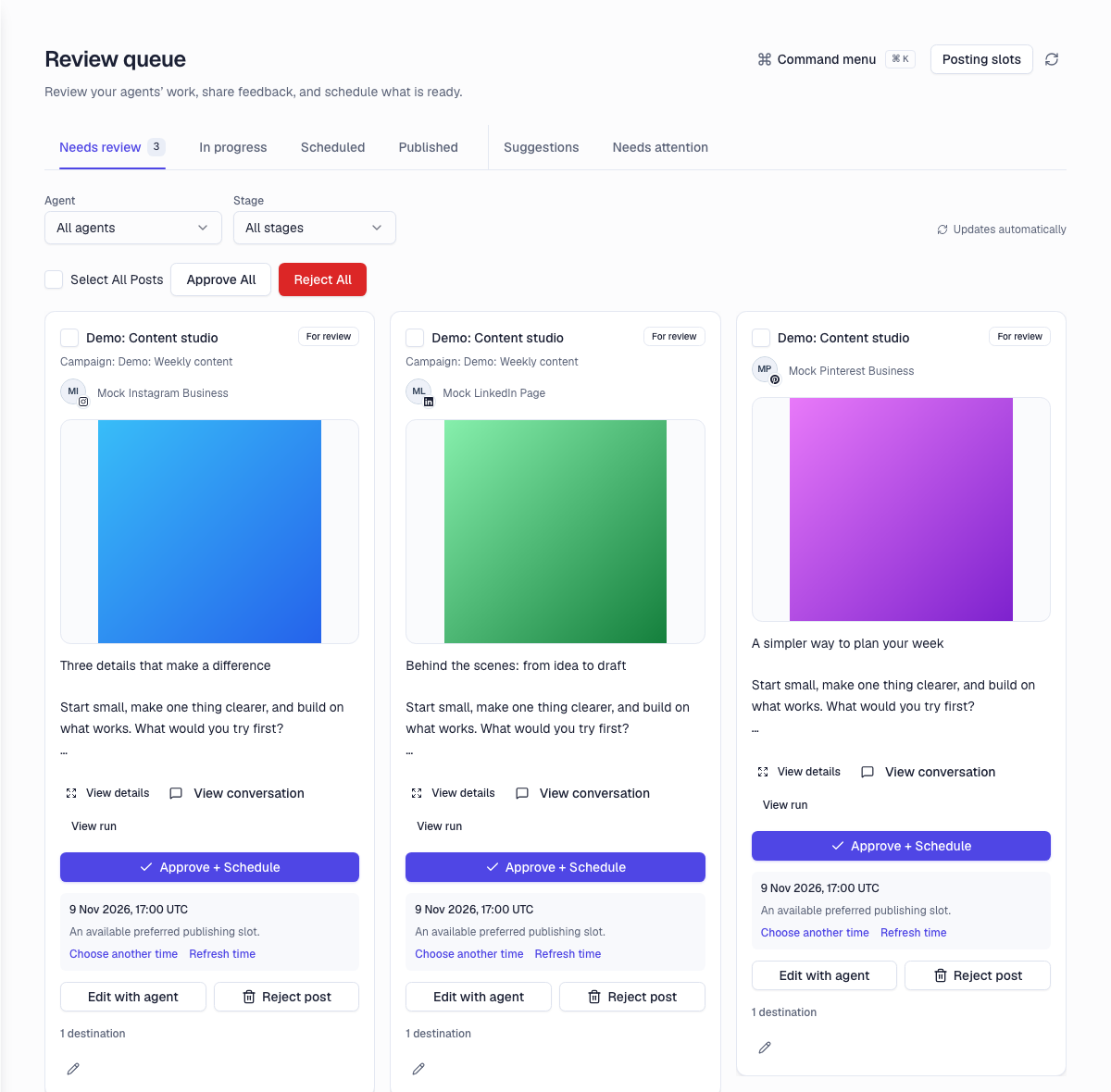
- Approve, revise or reject finished posts in one workspace
- Choose accounts and an available publishing time before scheduling
What you can do.
An idea before a render
Enable proposal review on a managed agent to inspect the brief and generation estimate before approving media creation. Review requirements are configurable per agent.
A finished post before publication
Draft for review keeps unattended agent output in your queue. Check the caption, media and destinations together. Approve the work you want, request a revision or reject it.
Your channels, in one place
Manage reviews for X, TikTok, Instagram, Facebook, YouTube, LinkedIn, Threads and Pinterest. Select the connected accounts a post should reach without switching between provider dashboards.
A clear route to the calendar
Approval and scheduling are explicit. Ready posts use an available slot that respects account capacity and your publishing settings. Content that is still generating stays out of the publishing path.
How it works.
- 1
Set your review mode
Choose which agents need idea approval, finished-post approval, or both.
- 2
Review in context
See the proposal or finished post beside the agent and run that produced it. Add feedback when something needs to change.
- 3
Approve and schedule
Choose the destinations, check the publishing time, then approve ready content for the calendar.
Frequently asked questions.
Choose Draft for review on the managed agent. Scheduled and API runs then create drafts for review instead of publishing directly. Other publish and review modes are configurable, so check the settings for each agent.
No. When proposal review is enabled, it applies to supported media generation in background agent runs. Research, reads and text drafting can continue without a media proposal.
Yes. Add feedback to request a revision, or reject work you do not want. Review the updated content before approving it.
The review queue is your signed-in workspace for agent ideas and drafts. Client approvals is a separate feature for sharing no-login review links with clients.
Explore more features.
Client Approvals
Send clients a no-login link to approve posts and comment in context, before anything ships.
Learn moreAgentic drafting
Hand an agent your angle and get on-brand drafts to approve.
Learn moreMulti-platform publishing
X, TikTok, Instagram, Facebook, YouTube, LinkedIn, Threads and Pinterest from one queue.
Learn morePut human judgement in your publishing workflow.
Connect your channels, brief the agent, and keep the approval gate. The rest runs itself.
Start creating